๐Ÿ†• 90% off SCI-FI on TONS more ๐Ÿฅณ Insane Birthday Sale now live โžก๏ธโšกGET THE DEALSโšก

SoundWeaver

0,00 $
0,00 $

Product Specifications

Licensor:
BOOM Library
Categories:
Specs:
No metadata
Delivery:
Instant - blazingly-fast - digital download
License type:
Royalty-free - you can select the number of users on checkout

Product Description

AUDIO LAYERING WIZARD

SOUNDWEAVER helps you design new sounds from your existing sound library in less time.
SOUNDWEAVER opens up a highly inspirational sound design workflow.
SOUNDWEAVER explores the depths of your sound library.


CREATE MORE โ€“ SKIP THE BUSYWORK

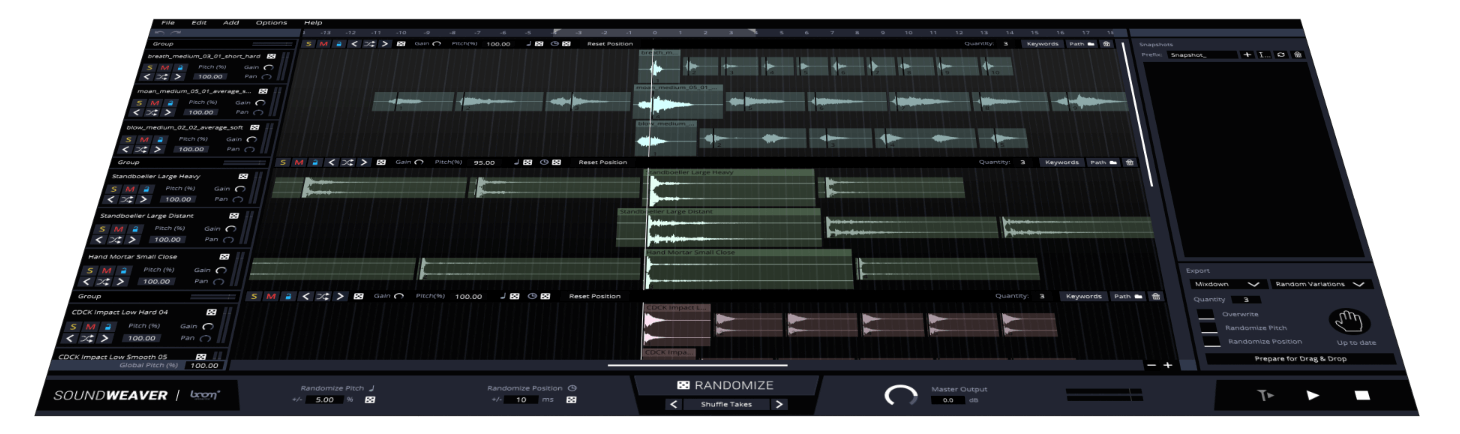
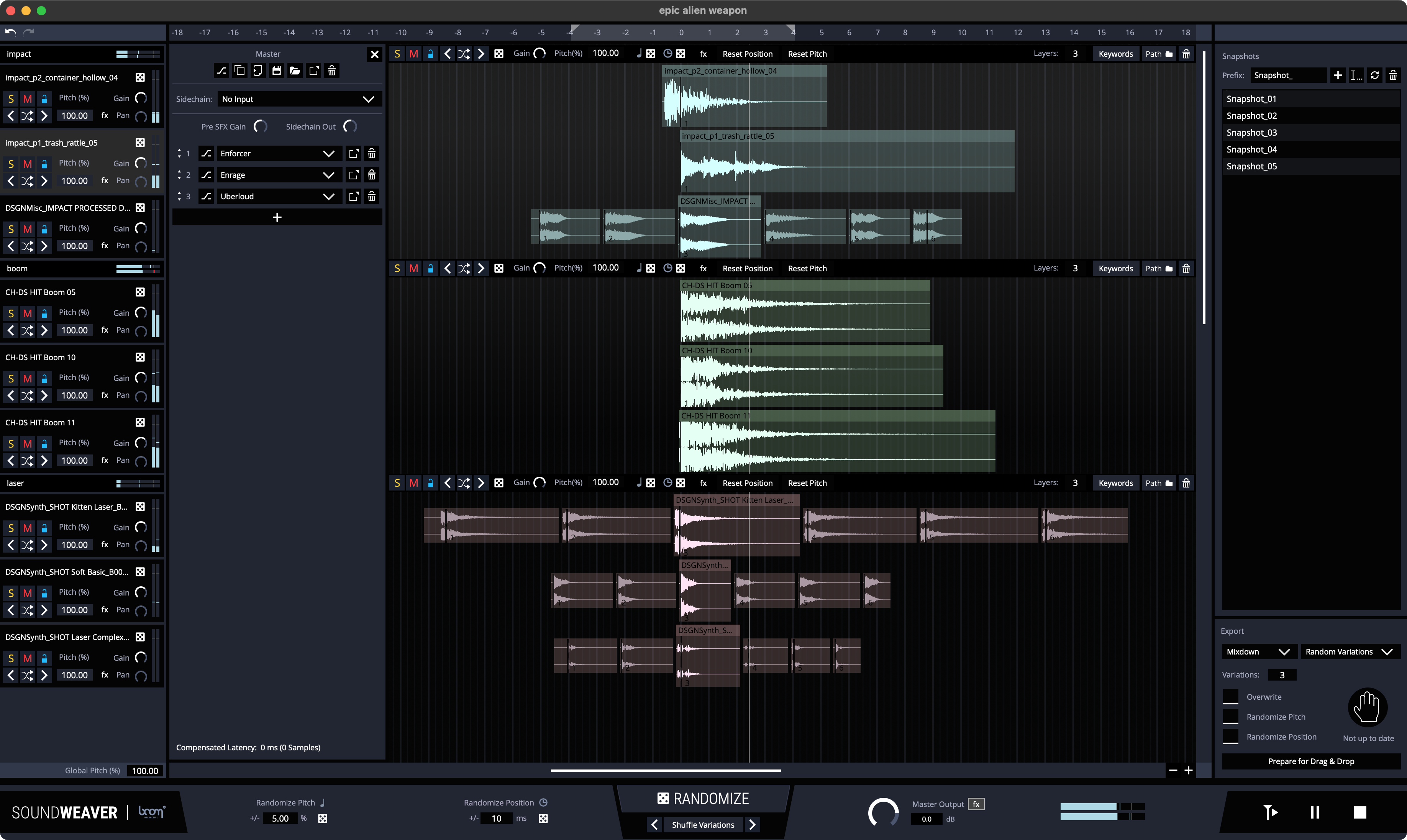
Offering you an unlimited wealth of sound design power, SOUNDWEAVER is a standalone application that unlocks the full potential of your sound library. Easily add textures and complexity to your sounds while seamlessly blending different layers together. Create massive rumbles, bone-crunching organic thuds, falling impacts, hyper-complex futuristic effects, snarling creatures โ€“ with SOUNDWEAVER anything from your library can be magically morphed and layered into a new sound.

VERSION 1.3.1 NOW AVAILABLE

Features

PRODUCE MORE ASSETS
Using keywords to power SOUNDWEAVERโ€™s powerful randomization feature, you can produce assets quickly and efficiently. With variations automatically marked and accepted assets easily locked into place, the app works its magic in divining new layers for further customization.

READY-TO-USE SOUND SESSIONS
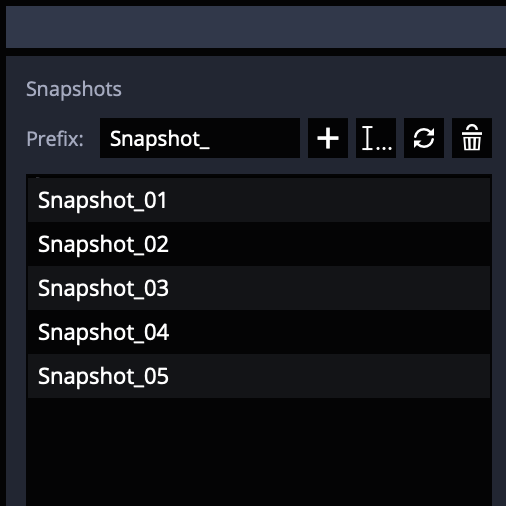
Create custom sound design sessions with ready-to-use combinations. Snapshots allow you to save your preferred edits and easily compare them to each other and to new experiments.

GENERATE VARIATIONS WITH EASE
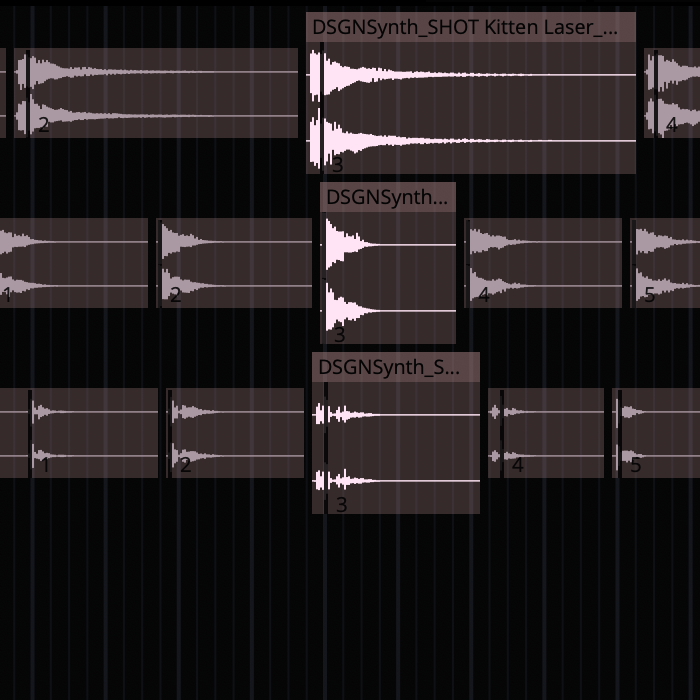
Using SOUNDWEAVER with BOOM Library sounds canโ€™t be easier. Almost every BOOM Library Construction Kit asset has several variations included in a single file. SOUNDWEAVER reads these variations and displays them as single files, allowing you to switch between them with ease.

TRUE DRAG AND DROP
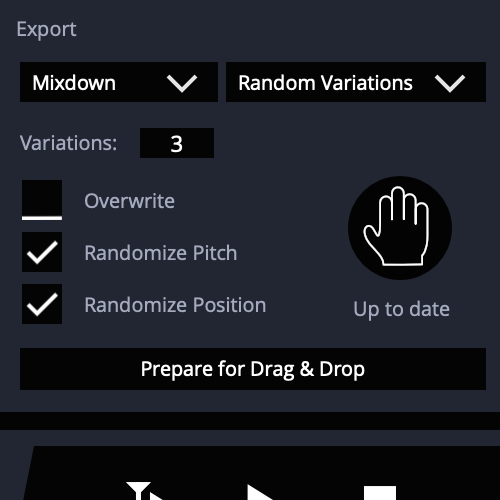
SOUNDWEAVER is a sound design environment that doesnโ€™t replace the DAW or video editor, but is designed to work alongside it. Effortlessly drag and drop audio assets from either kind of app and weave your magic with them. When youโ€™re done, simply press โ€œPrepare for Drag & Dropโ€ and drag the newly prepared asset directly into your project.

NEW: VST / AU SUPPORT

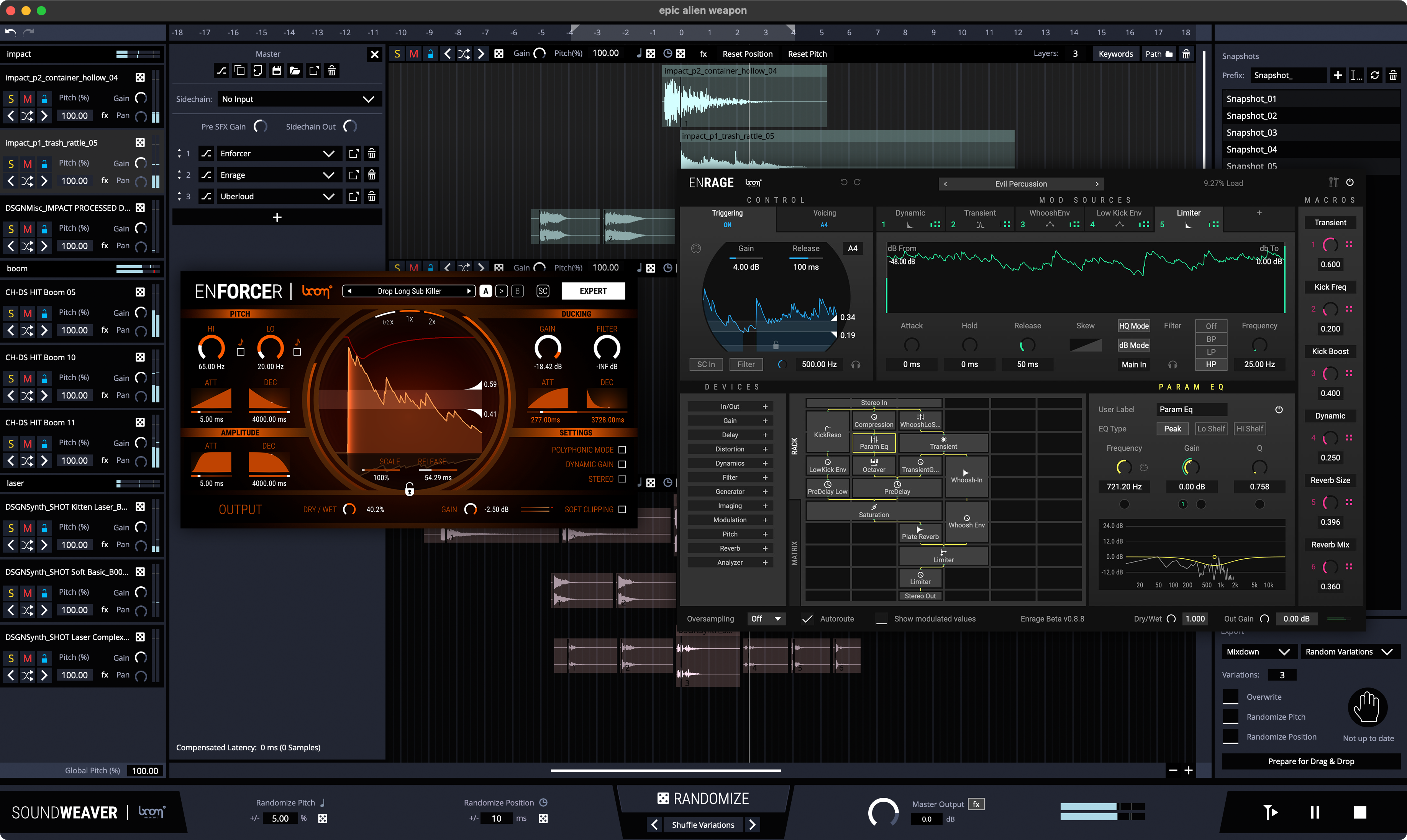
Now, with SOUNDWEAVER 1.3, you can use your VST plugin effects inside the app.
Not only can you endlessly and creatively layer your sounds, but you can morph and bend them in any way imaginable.

USE CASES

โ€ข Produce more assets and increase productivity on tight schedules
โ€ข Set up your sound design session with ready-to-use sound combinations
โ€ข Generate variations with ease instead of manually tweaking everything
โ€ข Find new combinations, discover and create new flavors and variety within your library


Powerful Export: Dragโ€™nโ€™Drop Directly To Your DAW
WHAT DOES SOUNDWEAVER DO?

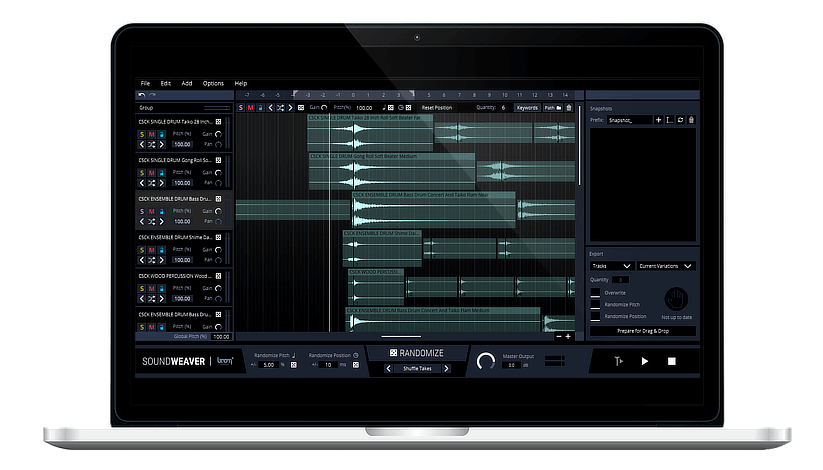
โ€ข SOUNDWEAVER searches your sound library with the help of keywords or folder paths and picks matching sounds for your project.
โ€ข Sounds are automatically sorted, grouped, layered, aligned and split into regions (if files contain multiple variations)
โ€ข Now you can pitch, offset, gain, shuffle and randomize individual sounds, groups or the whole project.
The possibilities are endless.
โ€ข Take snapshots of your favorite combinations and settings. Create as many snapshots as you like and return to them later in the process.
โ€ข Dragโ€™nโ€™drop the project into your DAW for further editing or export the final mix.
โ€ข SOUNDWEAVER can generate countless variations from your project during export via pitch, offset and take randomization.

Get to know SoundWeaver


Quick Start

At A Glance

Tutorial โ€“ Export Features

Timeline Walkthrough

Database

Update 1.3

HOW SOUNDWEAVER HELPS YOUR WORKFLOW

MORE VARIETY ON TIGHT SCHEDULES
We all know the situation: A client has asked for 100 new sound assets, 10 variations each, delivered as soon as possible.
Creating variations in particular requires a lot of meticulous pitching, shifting and switching out elements within your original design.
With just a few commands, SoundWeaver will automate all of those time-consuming steps for you and generate as many suggestions as you like โ€“ so all thatโ€™s left for you to do is have a quick listen and keep the ones you like best.
Focus on your creative process while SoundWeaver takes care of the rest.

INSPIRATION THROUGH NEW COMBINATIONS
Speaking of creative process: Once your library has grown beyond a certain point, there is only so much experimenting you can do manually. SoundWeaverโ€™s powerful Randomize feature often generates combinations weโ€™d never think of trying in the first place.
This opens up a world of new possibilities and is a great way of starting a project.
Already have an idea? Tell SoundWeaver to build on it and create different flavors.
Starting empty-handed? Let SoundWeaver set up your session by putting all layers in place.
Done, but missing that special something? Try out more unlikely sounds with just a few clicks.

SOUNDWEAVER At A Glance
KEY FEATURES

โ€ข SoundWeaver automatically picks, slices, aligns and layers sounds
โ€ข Search by keywords, folders or dragโ€™nโ€™drop
โ€ข Pitch, offset, gain, shuffle and switch out individual sounds, groups or the whole project
โ€ข Each of the previous parameters can be randomized.
โ€ข Export: Dragโ€™nโ€™drop the project into your DAW
โ€ข Export as: Individual layers, groups or mixdown
โ€ข Export features: Generate variations using pitch, offset or random takes
โ€ข Take snapshots and return to your favorite combinations, parameter settings and sounds at will

TECH SPECS

Format: Standalone Application for Windows & Mac
Required Hard Disk Space: 30 MB
Manual: PDF
License Agreement: PDF
Available As: Download

REQUIREMENTS

SOFTWARE
SoundWeaver is a standalone application and works without any host audio software.

SYSTEM


Windows 7 (64-bit), 8 GB Ram, Intelยฎ Core i5
Mac OS X 10.9, 8 GB Ram, Intelยฎ Core i5

ILOK


SoundWeaver requires a free iLok account

Available licensing options:
Machine License activation and USB Dongle (iLok 2 or higher)

Manual

Version 1.3.1 April 2023)
[NEW FEATURE]
Added plugin support for VST3(win + mac) and AU(mac)

[NEW FEATURE]
Added global/group reset pitch function.

[BUG-FIX]
Fixed a bug where export drag drop with โ€˜Overwriteโ€™ activated would use the wrong index as suffix for file.

[BUG-FIX]
Fixed a bug where overwriting existing files by export could create too many files when โ€˜Glue Variationsโ€™ was activated.

[BUG-FIX]
Fixed a bug where option โ€˜Use whole pathโ€™ when searching sounds didnโ€™t work when using indexed paths.

[BUG-FIX]
Track names can not be set to empty strings anymore.

[BUG-FIX]
Fixed a bug where selecting tracks per arrow keys jumped more than one track per key press.

[BUG-FIX]
Fixed a bug on mac where right click gestures didnโ€™t work.

[BUG-FIX]
Fixed a bug where the VU-meters would always falsely display a small amount of gain.

[BUG-FIX]
The playlist is always centred now on startup.

Version 1.2.2 (October 2021)

[NEW FEATURE]
For flac files, Vorbis metadata (tag โ€˜DESCRIPTIONโ€™) can be used by search now.

[BUG-FIX]
Fixed a bug on macOS where the right click gesture didnโ€™t work on the trackpad.

[BUG-FIX]
Fixed a bug where the user was incorrectly prompted for an export path.

[BUG-FIX]
Fixed a bug where right-clicking a snapshot while editing the name opened the options menu in addition to the edit menu.

Version 1.2.0 (November 2020)

[NEW FEATURE]
It is now possible to create snapshots with different audio content.

[NEW FEATURE]
Audio content can now be reversed.

[NEW FEATURE]
Variations can now be exported into different sound files without gluing them together.

[NEW FEATURE]
Monoexport is now possible.

[NEW FEATURE]
Database scan now also searches for aiff, mp3, flac and ogg files.

[NEW FEATURE]
Added option to switch between saving of last/all used search paths.

[BUG-FIX]
Disabling โ€˜play from last positionโ€™ works again.

[BUG-FIX]
Fixed a bug where regions could be moved to the right when closing About window.

[BUG-FIX]
Fixed a bug where no longer existing search paths were displayed incorrectly for groups.

Version 1.1.0 (February 2020)
[NEW FEATURE]
Database function: Allows to pre-scan sound libraries which accelerates search, especially when using metadata.

[NEW FEATURE]
It is now possible to zoom out further, improving management of long sound files.

[BUG-FIX]
Fixed visual artifacts that appeared in the playlist with screen scalings other than 100% or 200%.

[BUG-FIX]
Fixed a bug, where clicking with two fingers on Appleโ€™s track pad did not show the popup menu for audio clips.

[BUG-FIX]
Mac specific files starting with โ€œ._โ€ are now ignored in the search.

Version 1.0.2 (February 2020)
[NEW FEATURE]
MP3, FLAC and Ogg files can now be imported.

[NEW FEATURE]
You can now use SoundMiner 5.0v459 macOS to send audio files to SoundWeaver.

[BUG-FIX]
Fixed a crash that happened when searching for metadata in corrupt audio files.

[BUG-FIX]
Fixed a crash that could occur when triggering โ€œRandomize Allโ€ after changing keywords or search paths.

Version 1.0.1 (January 2020)
[BUG-FIX]
We fixed a bug where using a different sample rate for audio export and playback resulted in truncated sound files.

[BUG-FIX]
It was possible to select multiple active output channels which resulted in a crash. This has been fixed.

[BUG-FIX]
We fixed a bug where zooming out of the timeline resulted in graphical glitches.

Version 1.0.0 (January 2020)
Initial Release